
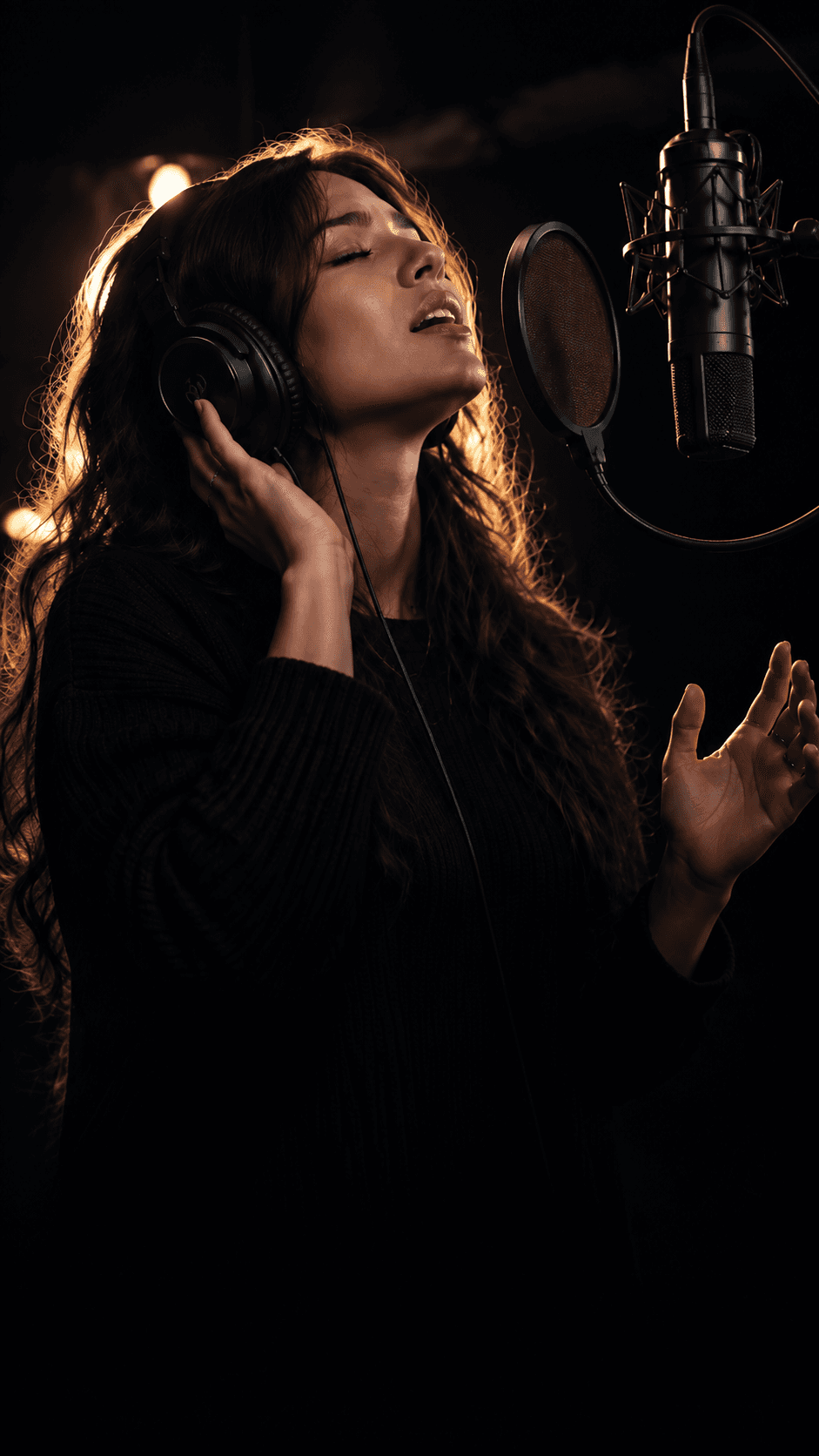
01/Record
Punch in over the beat and leave every pass on the lane. Take 6 records in red while the earlier takes stay put.
Take 6 · Main vocal
Stack each pass on the session timeline. Wav-Aid listens for pitch, timing, and energy, then tells you how to sing the line again.

The session
The same three moves every time you sing: capture the pass, read what it did, then go back for the line that can be better.
01/Record
Punch in over the beat and leave every pass on the lane. Take 6 records in red while the earlier takes stay put.
02/Analyze
Each take is scored for pitch, timing, projection, and consistency, with a note on what moved since the last pass.
03/Improve
The coach points at the entrance to sing again. Smart Comp then drafts the strongest phrases into one performance.
Workflow
The same path every time you record: lay down the lane, compare the passes, then let the coach point at the next punch-in.
Open the song with its tempo, key, and the takes you already kept.
See the beat, vocal lanes, and section markers before you sing.
Punch in over the track instead of starting the whole song again.
Stack every pass on the lane and keep the score beside the waveform.
Read pitch, timing, projection, and recording quality side by side.
Get a producer note on what held and what to sing again.
Record the next pass with a clear target, then comp the best phrases.
Timeline
A vocal lane with the takes still on it. Scores sit next to the waveforms, and the playhead shows the section you are about to record again.
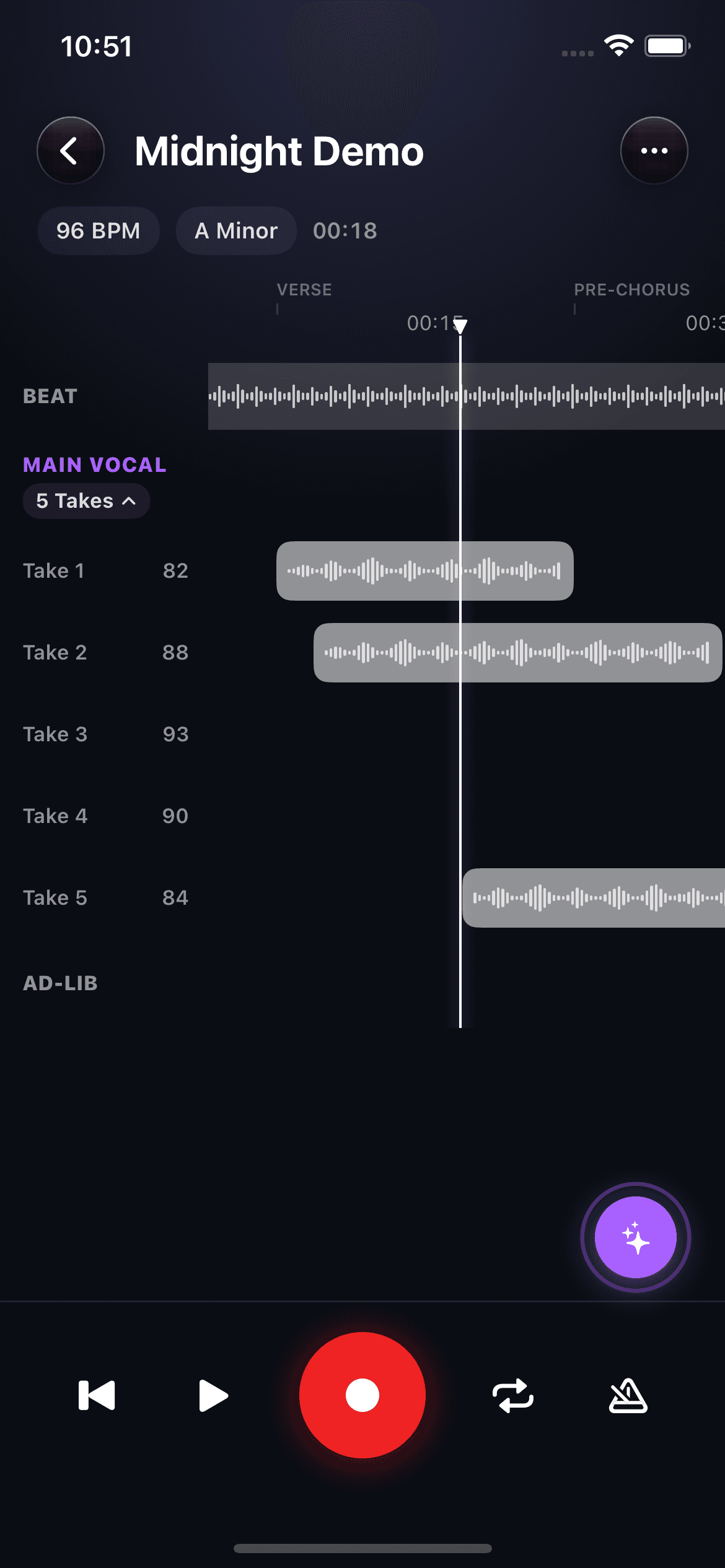
Beat
The arrangement stays locked under the vocal.
Main vocal
Five takes, each with a score beside the waveform.
Playhead
Verse into pre-chorus, ready for the next punch-in.
In the same session
Swipe the takes.
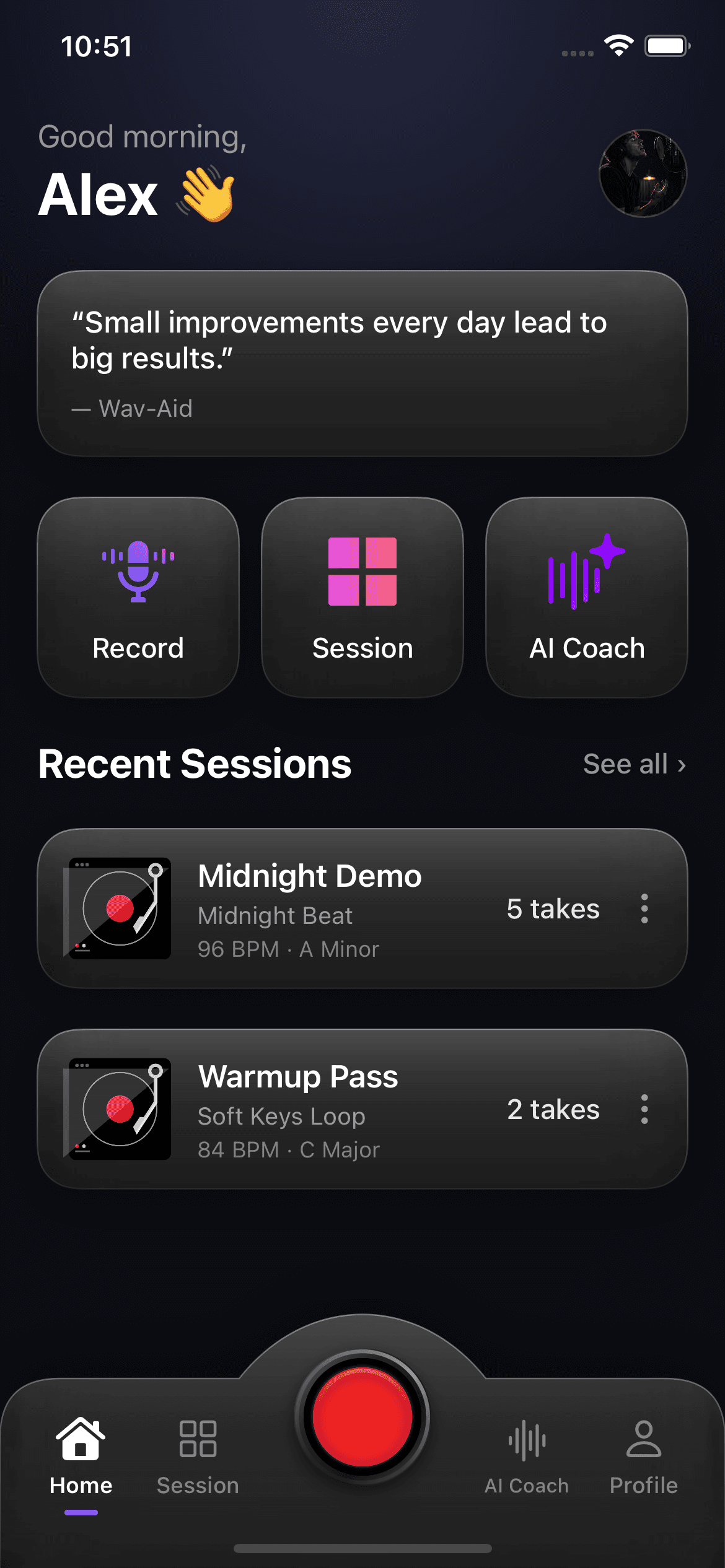
Home
Come back to Midnight Demo with the key, tempo, and take count already on the card.
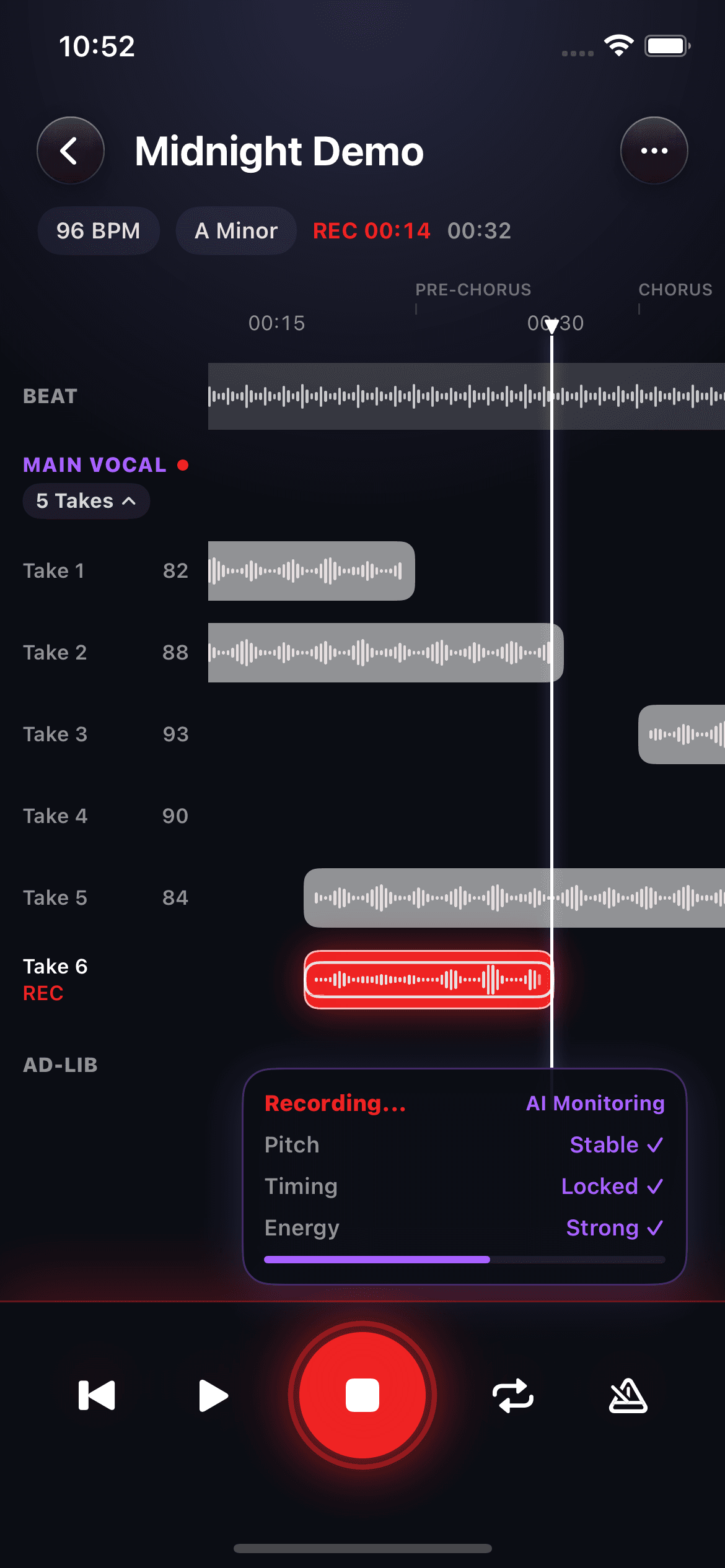
Record
Punch in on the chorus while pitch, timing, and energy stay in view.
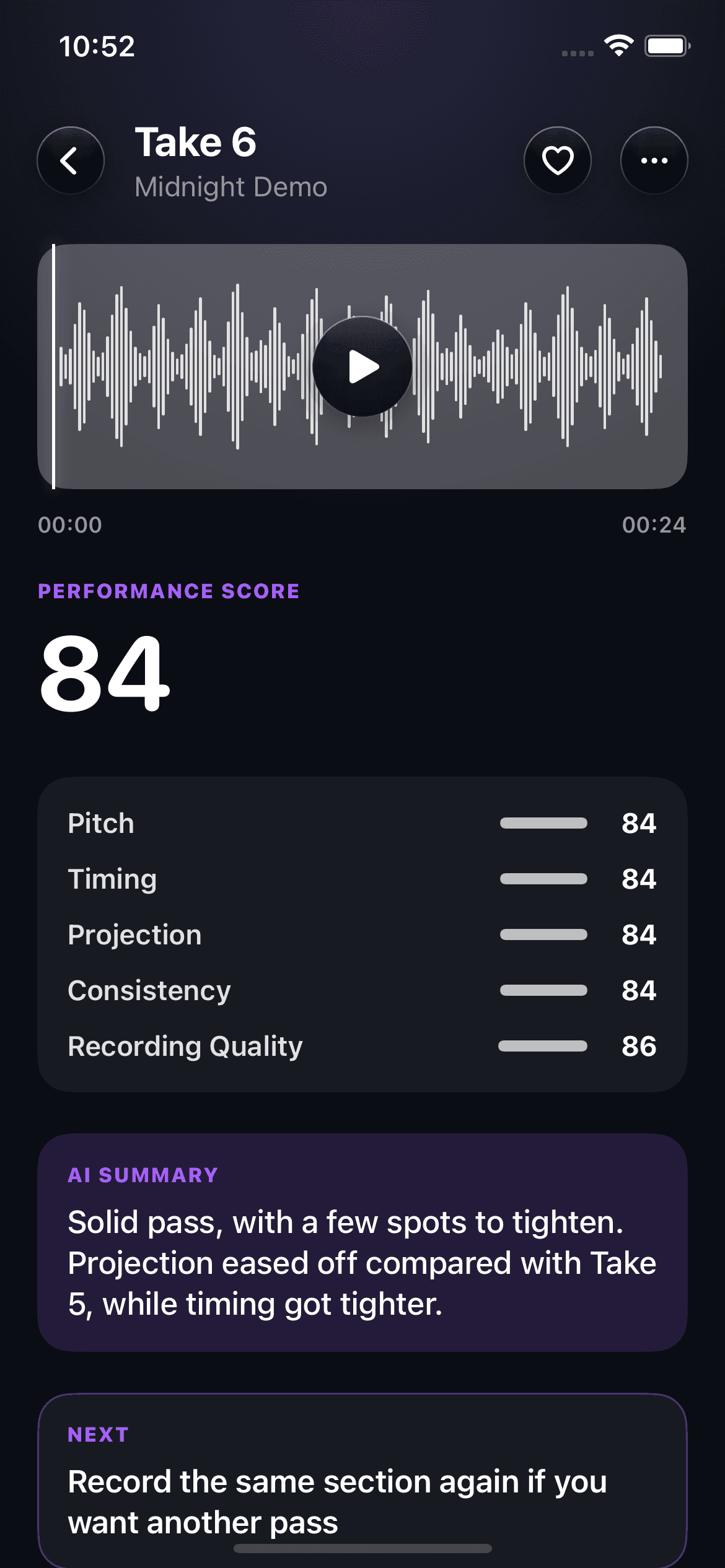
Analysis
A score for the pass you just sang, and what changed from the one before it.
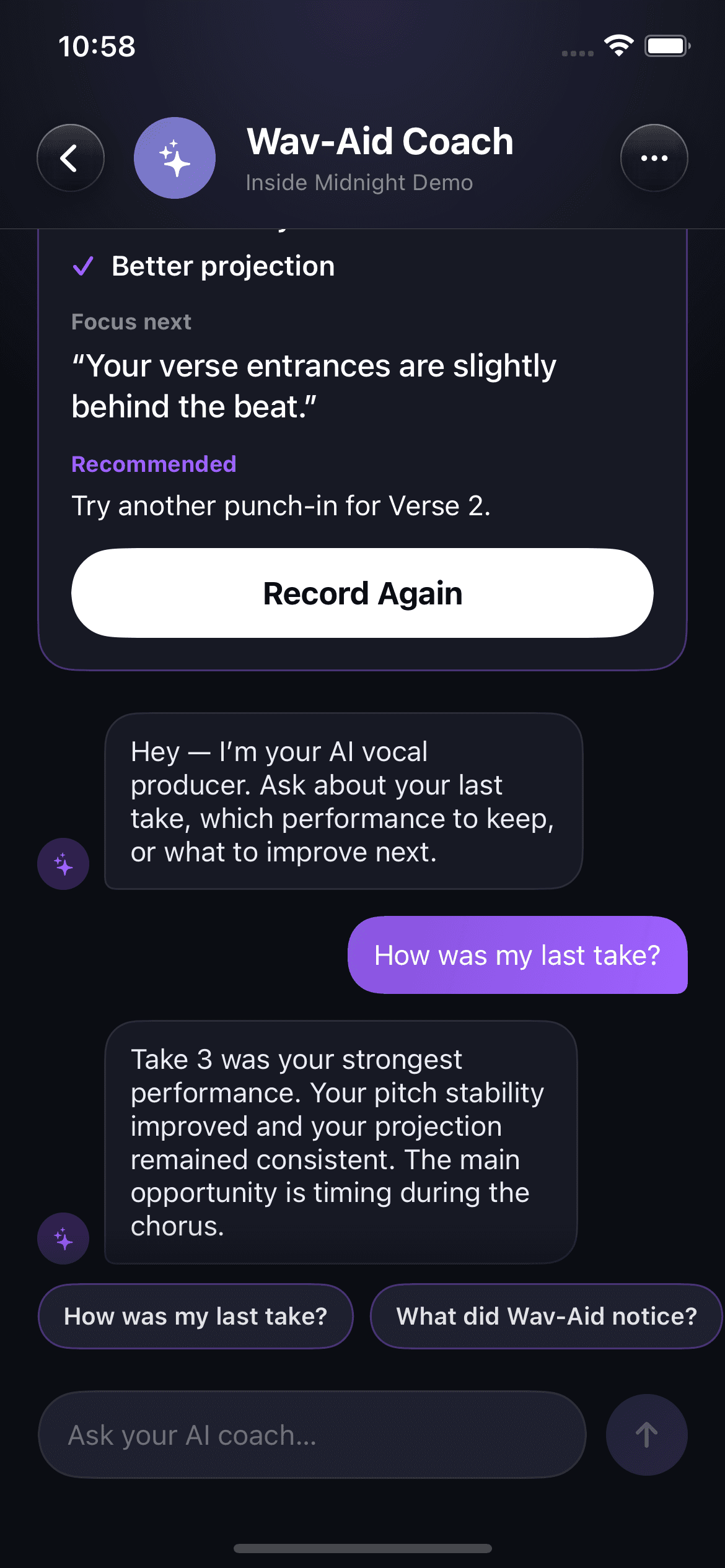
AI Coach
Ask how the last pass felt. Wav-Aid names the strongest take and the entrance that sat behind the beat, then sends you back to record that line.
Focus next
Your verse entrances are slightly behind the beat.
Strongest pass
Take 3 held the pitch and kept the projection consistent.
Sing it again
Punch in Verse 2 and chase that entrance.
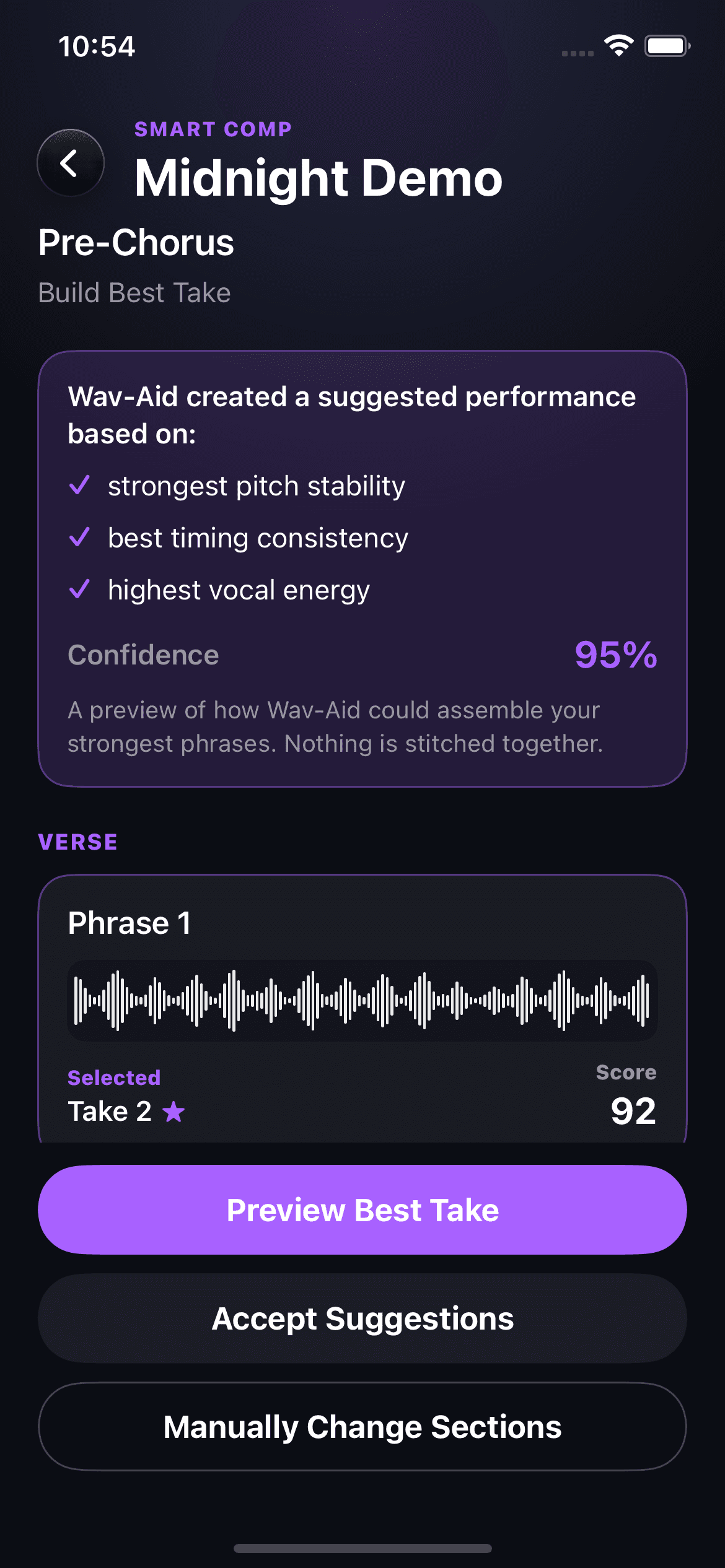
Smart Comp
Wav-Aid drafts a performance from the lines that already worked. Preview the comp, accept it, or swap any section by hand.
Suggested performance
95%
Confidence